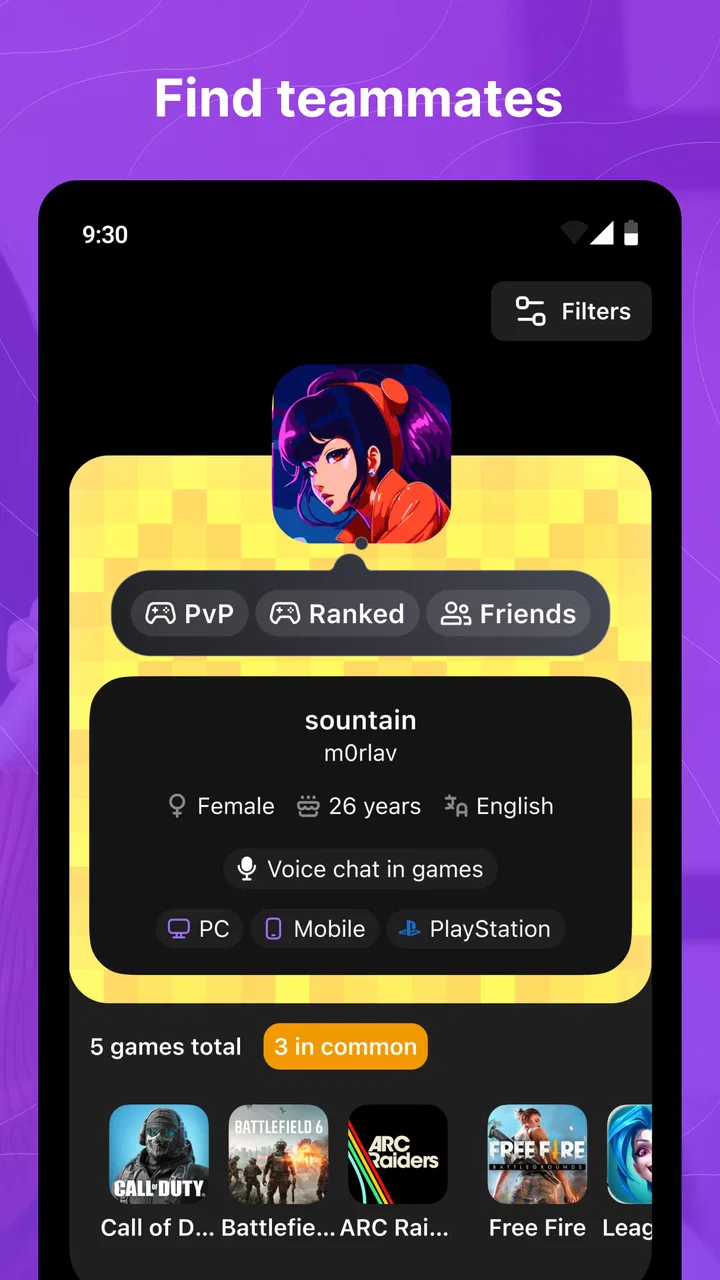
Gameram: Find gaming teammates
- 4.5
- Rating
- 5.00M
- Installs
- Free
- Price

 Analysis by App-foxy
I noticed Gameram because it tackles a familiar problem for anyone who plays online: finding people who actually want to play, rather than hoping a random match turns into a friendship. After spending time with this social app, I see its main value in helping gamers move from isolated sessions toward more deliberate connections. It is free to install, aimed at a Teen audience, and available on Android devices running version 8.0 or later. Optional purchases range from $2.49 to $17.99 per item, so the basic decision is easy: try the free experience first and only consider spending if the extra options genuinely improve how you use it.
The app comes from GAMERAM LTD and sits firmly in the social category rather than replacing a game launcher, voice-chat service, or full gaming community forum. That distinction matters. I would not use it expecting a complete place to manage every part of a gaming session. I would use it as a meeting point: a way to discover compatible players, start conversations, and build a small circle around the games I already enjoy.
How Gameram fits into shared gaming at home
When a phone or tablet is shared at home, I’d treat Gameram as a personal social account rather than a family gaming hub. Agreeing in advance who is signed in—and when they’ll use it—can prevent crossed conversations and make introductions feel more genuine. That simple routine also gives everyone room to decide how much of their gaming life they want to share.
You May Also Like

 Blood Strike: 2.5 Anniversary
Blood Strike’s Loadouts Turn Every Drop Into a Tactical Gamble
A close look at Blood Strike’s custom loadouts: how fast access to signature weapons reshapes its battle royale rhythm, rewards preparation, and narrows the gap between fights.

 Pandora - Music & Podcasts
Pandora’s Music Is Easy to Start, but Harder to Recover
Pandora’s strength is its low-effort path from a seed to a station. Its weak spot is how much confidence it asks you to place in connection, setup, and quiet recovery.

 8 Ball Pool
 Is Built on Rivalries, Rematches, and Routine
A close look at the rivalries, rematches, shared routines, and unanswered safety questions that turn a quick pool match into a persistent mobile community.

 Samsung Music
’s Quiet Strength Is Playing What You Already Own
Its reach comes less from spectacle than from dependable access to a personal library. That simplicity is both the app’s strongest retention engine and its ceiling.

 AccuWeather: Weather Radar
AccuWeather Review: A Quick, Clear Forecast for Everyday Decisions
For everyday plans, the best forecast is the one you can understand quickly. AccuWeather makes rain timing, radar, and local conditions easy to act on, with a few trade-offs.

 Hill Climb Racing
Why Hill Climb Racing Still Turns Crashes Into One More Run
A tiny car, a bumpy hill and one more upgrade: Hill Climb Racing keeps resurfacing because its simple chaos makes every near-miss feel personal.
More From Our News Desk
View All News


A practical scenario for a shared device
Imagine a household where one tablet or phone is used by more than one person. One family member may be looking for teammates after school, while another uses the same device to browse social apps or message friends. In that situation, the important question is not only whether the app helps find players. It is also whether each person can keep their own conversations, contacts, and gaming identity separate.
I would treat Gameram as an individual social space, not as a communal noticeboard. Before handing the device to someone else, I would make sure the current user has finished their session and that private conversations are not left open. This is simple household discipline, but it matters more here than it would with a single-player game because the app is built around meeting and communicating with other people.
The shared-device scenario also changes how I judge convenience. A person who owns their phone and keeps one stable account will probably get the smoothest experience. Someone who frequently switches between household users may find the routine less comfortable, especially if they need to remember which profile is active or who a conversation belongs to. I would not let several people casually use one identity, because that makes introductions confusing and can give other players the wrong impression.
For a parent or guardian, the useful approach is to agree on a few household rules before the app becomes part of a child’s gaming routine. Decide whose account is being used, whether the device can be used in a shared room, and what information should never be posted in a public gaming conversation. These are not special controls inside the app; they are practical boundaries that make any social platform safer and easier to manage.
Keeping account boundaries clear
Gameram works best when the person behind a profile is consistent. If I introduce myself as someone who enjoys a particular type of game, then repeatedly hand the same account to a sibling or roommate, the people I meet cannot tell who they are actually talking to. That weakens trust before a gaming session even begins.
My advice is to give each regular user a separate identity whenever possible. Use different profile details, keep conversations attached to the right person, and avoid treating the app like a family account. This is especially important when one user is a teenager and another is an adult. Their preferred games, communication style, and comfort with new contacts may be very different.
On a shared phone, I would also avoid leaving the app open while another person is using the device. A social app can expose more than a game score: private messages, usernames, gaming habits, and the names of people someone has met. Even when everyone in the home trusts one another, accidental replies from the wrong account can create unnecessary awkwardness.
There is a useful trade-off here. A shared device can make it easier for a parent to understand how the app is being used, but it can also blur personal space. I prefer a conversation about responsible use over silently checking everything. The goal is to help a younger player recognize good boundaries, not to make every ordinary gaming interaction feel suspicious.
Turning discovery into actual coordination
The strongest part of the concept is the step between “I play this game” and “I have someone reliable to play with.” Finding a teammate is only useful if the two people can agree on a real plan. In my experience, the best conversations start with practical details: which game is involved, what kind of session is wanted, and whether the person is looking for casual play or a more focused group.
I would avoid opening with a vague message such as “Anyone want to play?” A clearer introduction gives the other person something to answer. Mention the game, the general time you are available, and the style of play you prefer. That reduces back-and-forth and makes it easier to spot people whose expectations match yours.
A good workflow is to use the app for discovery, then confirm the details before starting the game elsewhere. Check that both players mean the same title or mode, agree on a rough start time, and make sure everyone understands whether the session is relaxed or competitive. This small amount of planning prevents one of the most common frustrations in gaming communities: two people technically wanting to play together but wanting completely different experiences.
I also recommend keeping the first session low-pressure. Rather than immediately committing to a long evening, try a short introduction and see whether the conversation feels comfortable. If the match goes well, future sessions become easier to arrange. If it does not, you have lost less time and shared less personal information.
One non-obvious advantage of a dedicated teammate-finding app is that it can separate the social search from the game itself. A game’s built-in matchmaking may prioritize filling a lobby, while a general chat server may be too broad and noisy. Gameram is more useful when I want to explain what kind of player I am looking for before joining a session. It is not automatically better than those alternatives, but it gives the search a clearer social purpose.
What coordination still requires from you
The app cannot remove the human work involved in building a good gaming group. Profiles and messages may help people meet, but they do not guarantee compatible schedules, similar communication habits, or respectful behavior. I still need to ask questions, notice warning signs, and accept that some promising introductions will not become lasting friendships.
For households, scheduling deserves extra attention. A teenager may find a teammate who is online at a completely different time, while a parent may not want late-night conversations or unplanned sessions. I would set a gaming window before making arrangements, especially when the device is shared or the player has school, work, or family responsibilities.
Another useful habit is to keep the first few interactions focused on the game. There is no need to reveal a real name, school, workplace, address, or daily routine just to coordinate a match. A username and general gaming preferences are enough to begin. If a new contact pushes quickly for personal details, private photos, or a move to another service, I would take that as a reason to slow down rather than a sign of friendship.
Teen use, trust, and social judgment
Because the app carries a Teen content rating, I would place it in the category of social tools that deserve active guidance for younger users. That does not mean every interaction is dangerous, and it does not mean a teenager cannot use it responsibly. It means the social side should be treated differently from downloading an offline puzzle or launching a familiar game.
Trust should develop gradually. A friendly profile is not proof that a stranger is who they claim to be, and a shared favorite game is not enough to justify sharing private information. I would encourage younger players to keep conversations about gaming at first, avoid arranging in-person meetings, and tell a trusted adult if someone becomes aggressive, manipulative, or unusually intrusive.
Adults using the app should follow the same basic standards. Teen players may be especially vulnerable to pressure from older strangers, but adults can also be misled or drawn into uncomfortable conversations. The safest mindset is neither panic nor blind confidence. Enjoy the social opportunity while remembering that the person on the other side is still someone you do not know offline.
In a family setting, I would explain why boundaries matter instead of presenting them as arbitrary restrictions. For example, a child is more likely to understand “do not share your school or live location because a gaming contact does not need it” than simply hearing “never talk to strangers.” Specific reasoning teaches a skill that transfers to other social platforms.
I also appreciate that the app’s purpose is broader than quick matchmaking. The possibility of making friends can be positive for players who feel isolated in their local area or who enjoy games that their household does not understand. Still, friendship claims can create pressure. I would remind a younger user that they never owe a reply, a rematch, or continued contact. Ending a conversation politely, muting it, or stepping away is a valid choice.
Comparing it with familiar alternatives
The usual alternatives each solve a different part of the problem. In-game matchmaking is fast and convenient, but it often treats teammates as temporary participants. A voice-chat group can be excellent for an established community, yet it may feel intimidating when someone is starting from zero. Large social networks expose users to many communities, but gaming conversations can get buried among unrelated posts.
Gameram is most appealing in the gap between those options. I would choose it when the main task is meeting people who are actively interested in gaming and then deciding whether a connection is worth developing. It is less compelling if I already have a dependable group, if I only want instant opponents, or if I need advanced team administration and tightly organized event tools.
There is also a privacy trade-off. A small, purpose-built gaming network may feel more focused than a general social platform, but any service that introduces you to strangers still requires judgment. I would not assume that a gaming-focused environment removes the need for careful account habits. The advantage is relevance, not automatic safety.
The app’s popularity suggests that the idea has reached a substantial audience: it has passed five million installs and holds a 4.5 average from around forty thousand ratings. Those figures make it easier to believe that a new user may find active interest, but they do not guarantee that the right teammate will appear immediately. A large audience can bring variety as well as noise, so the quality of the result still depends on how clearly I describe what I want.
Everyday usability and the cost question
The free entry point is a genuine advantage. I can test whether the community suits my games and communication style without paying first. That matters for a household because different users may have completely different reactions: one person may enjoy meeting teammates, while another may find social discovery tiring.
Optional in-app purchases are priced from $2.49 to $17.99 per item. I would treat them as a convenience decision, not a requirement for belonging. Before buying anything, I would use the free experience long enough to understand whether the app is helping me find suitable people. Spending money cannot fix a mismatch between my schedule and the community, nor can it turn an uncomfortable conversation into a good friendship.
The current version is 1.120.0, which tells me the app is an established product rather than a brand-new experiment. Even so, my recommendation would be to keep expectations realistic. Version numbers do not guarantee that every workflow will feel perfect on every phone, and social apps depend heavily on the quality of the people currently active in them.
For an everyday user, the best test is simple: can I find a relevant conversation, explain what I want to play, and leave with a clear next step? If the answer is yes, the app is doing something useful. If I spend most of my time browsing without finding compatible players, a game-specific community or an existing friend group may serve me better.
Who should use it and who should skip it
I would recommend Gameram to a solo player who wants more intentional connections than random matchmaking provides. It is also a reasonable choice for someone moving to a new place, changing games, or trying to find players with a similar approach to cooperation. The social focus can be valuable when the real problem is not a lack of games but a lack of people to share them with.
I would be more cautious about recommending it to someone who dislikes messaging strangers, wants instant matches with no conversation, or already has a reliable group. In those cases, the extra social layer may feel like work. A player who needs strict moderation tools, formal team management, or guaranteed scheduling should also look at more specialized communities rather than expecting this app to handle every organizational need.
For younger users, I would recommend it only alongside clear household expectations. The Teen rating makes it unsuitable for treating the app like a children’s toy, and shared-device use requires extra care around account separation. A parent does not need to understand every game to discuss privacy, respectful communication, time limits, and what to do when a stranger behaves badly.
My household verdict
After looking at Gameram through the lens of shared devices and family use, I see a useful but responsibility-dependent social tool. Its strongest idea is straightforward: help gamers find people who may become regular teammates or friends instead of leaving every connection to chance. That makes it more purposeful than a random lobby and more approachable than joining a huge community with no clear starting point.
My main reservation is not the concept itself but the effort it asks from the user. Good results depend on writing clear introductions, checking compatibility, managing expectations, and keeping sensible boundaries. The app can open the door, but I still have to decide who deserves my time and what information I am comfortable sharing.
For a household, I would install it only with separate identities, agreed usage rules, and a conversation about trust. I would start with the free version, try a few carefully planned introductions, and judge the experience by the quality of the connections rather than by how many people appear. If that sounds appealing, Gameram is worth exploring. If I only want quick matches or already have a close gaming circle, I would stay with the tools I use now.
Overall, I think the app is at its best when a player wants to turn gaming from a solitary activity into a more social routine without jumping straight into a massive online community. Use it as a focused way to meet potential teammates, not as a substitute for personal judgment. With that expectation, its free starting point and gaming-centered purpose make it a sensible option for players who are ready to build connections gradually.
FAQs for Gameram: Find gaming teammates
01What is Gameram and how does it work?
Gameram is a social networking app specifically designed for gamers to connect with potential teammates. Users can create profiles, list their favorite games, and search for others with similar interests. The app facilitates finding like-minded gaming partners, making it easier to coordinate multiplayer sessions and improve gaming experiences.
02Is Gameram available on both Android and iOS platforms?
Yes, Gameram is available for download on both Android and iOS devices. Users can find the app on the Google Play Store for Android devices and the Apple App Store for iOS devices, ensuring a wide reach and accessibility for gamers across different platforms.
03Does Gameram have any in-app purchases or subscription fees?
Gameram is free to download and use, but it may offer in-app purchases or subscription options for enhanced features. These could include ad-free experiences, priority matchmaking, or exclusive content. It's important to check the app’s store listing for the most up-to-date pricing information and options.
04How does Gameram ensure user safety and privacy?
Gameram takes user safety and privacy seriously by implementing various security measures. These include profile verification, privacy settings, and reporting tools for inappropriate behavior. Users can control their visibility and interactions to ensure a safe and enjoyable experience while connecting with fellow gamers.
05What are some unique features of Gameram that set it apart from other gaming social apps?
Gameram offers unique features such as game-specific matchmaking, achievement sharing, and a community-driven news feed. It also allows users to join or create gaming communities, participate in discussions, and share gaming tips, making it a comprehensive platform for both casual and hardcore gamers.
Pros
- Easy to find teammates for various games.
- User-friendly interface with smooth navigation.
- Supports a wide range of popular games.
- Real-time chat for seamless communication.
- Customizable profiles to showcase skills.
Cons
- Limited to certain regions for matchmaking.
- Occasional glitches in the chat feature.
- Some profiles lack detailed player stats.
- Notification settings can be overwhelming.
- Ads may disrupt user experience occasionally.

Gameram: Find gaming teammates
Gallery